Buying guide
Travel Tech Essentials for Canadians: What to Pack in 2026
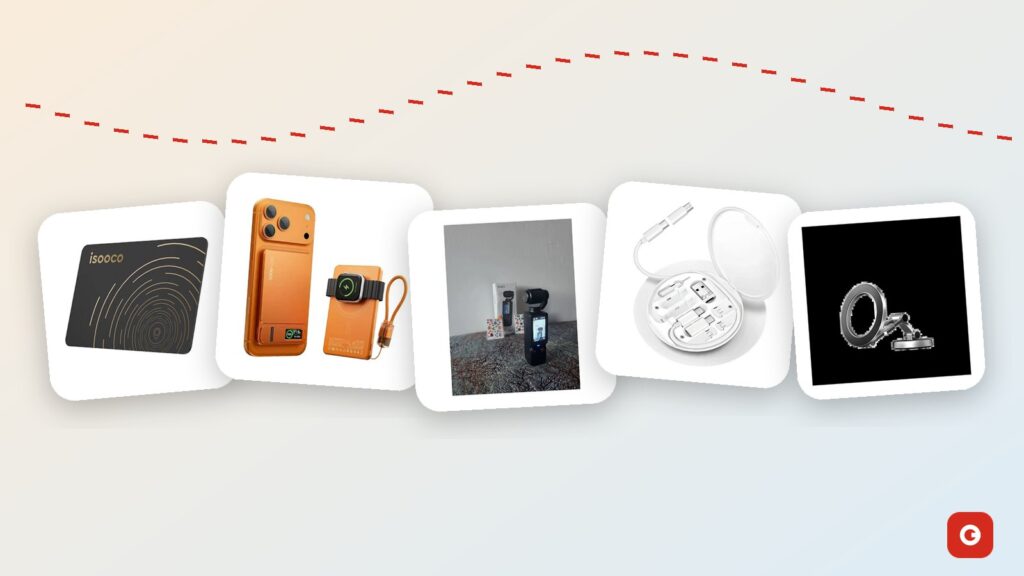
The right travel tech essentials turn the classic travel disasters into minor hiccups: a phone at 4% when the gate agent asks for your boarding pass, a wallet left in a taxi, four devices and one outlet behind a hotel bed. The wrong ones just add weight. And Canadians travel in a particular mix of ways: quick flights to see family, long-haul trips overseas, cross-border runs to the States, winter drives on the 401 or the Trans-Canada, and cottage weekends where the only free outlet is in the kitchen.
This guide covers what to pack for each kind of trip and the rules that come with it, from flying with a power bank to plugs overseas, roaming, and setting up a phone mount and dash cam for the road. The products we mention are ones Gadget Canada actually sells, priced in Canadian dollars, and we say so when a product sheet doesn’t confirm something.
Gadget Canada is an independent store for new and open-box gadgets in Canada. The accessories here are new, with a 1-year limited warranty; the cameras and dash cams are open box, inspected and tested, with a 90-day limited warranty. Nothing here promises what an airline or a screening officer will allow, so we link the official sources as we go.
Key takeaways
- Power banks go in your carry-on, never in checked bags. Under 100 Wh is generally allowed, and a 10,000 mAh pack is typically 36 to 38 Wh; check your airline and CATSA before every flight.
- One multi-port USB-C charger and a compact cable kit replace a bag of bricks, but the wattage on the box is shared between ports.
- A tracker card compatible with Apple Find My needs an iPhone, iPad or Mac, and its updates depend on Apple devices passing nearby.
- Canada and the U.S. share plugs and 120 V outlets. Elsewhere you need a plug adapter, and the charger’s label must list the local voltage.
- Hand-held phone use while driving is illegal across Canada: mount the phone clear of your view and the airbags, and set the route first.
The short list: travel tech essentials that earn their space
Every gadget in a travel bag should pass one test: does it fix a problem you’ve actually had on a trip, like a SIM tool you couldn’t find in an arrivals hall or a suitcase that didn’t come off the carousel? Good travel tech is small, does more than one job and works with the devices you already own. Here’s the core kit we’d build for most Canadians:
- A power bank you can fly with, with a watt-hour rating you can read on the label.
- One multi-port wall charger, so a single outlet charges your phone, tablet or laptop and more overnight.
- A compact cable kit with one good USB-C cable, adapters and a safe place for SIM and memory cards.
- A tracker for your wallet, passport cover or bag.
- A plug adapter, if you’re leaving North America.
- A data plan: your carrier’s roaming option or a local eSIM, chosen before you leave.
- Offline maps and backups, so a dead zone or a lost phone doesn’t cost you your route or your photos.
- A phone mount and a dash cam for road trips.
The infographic below turns that list into a checklist you can screenshot before you pack.
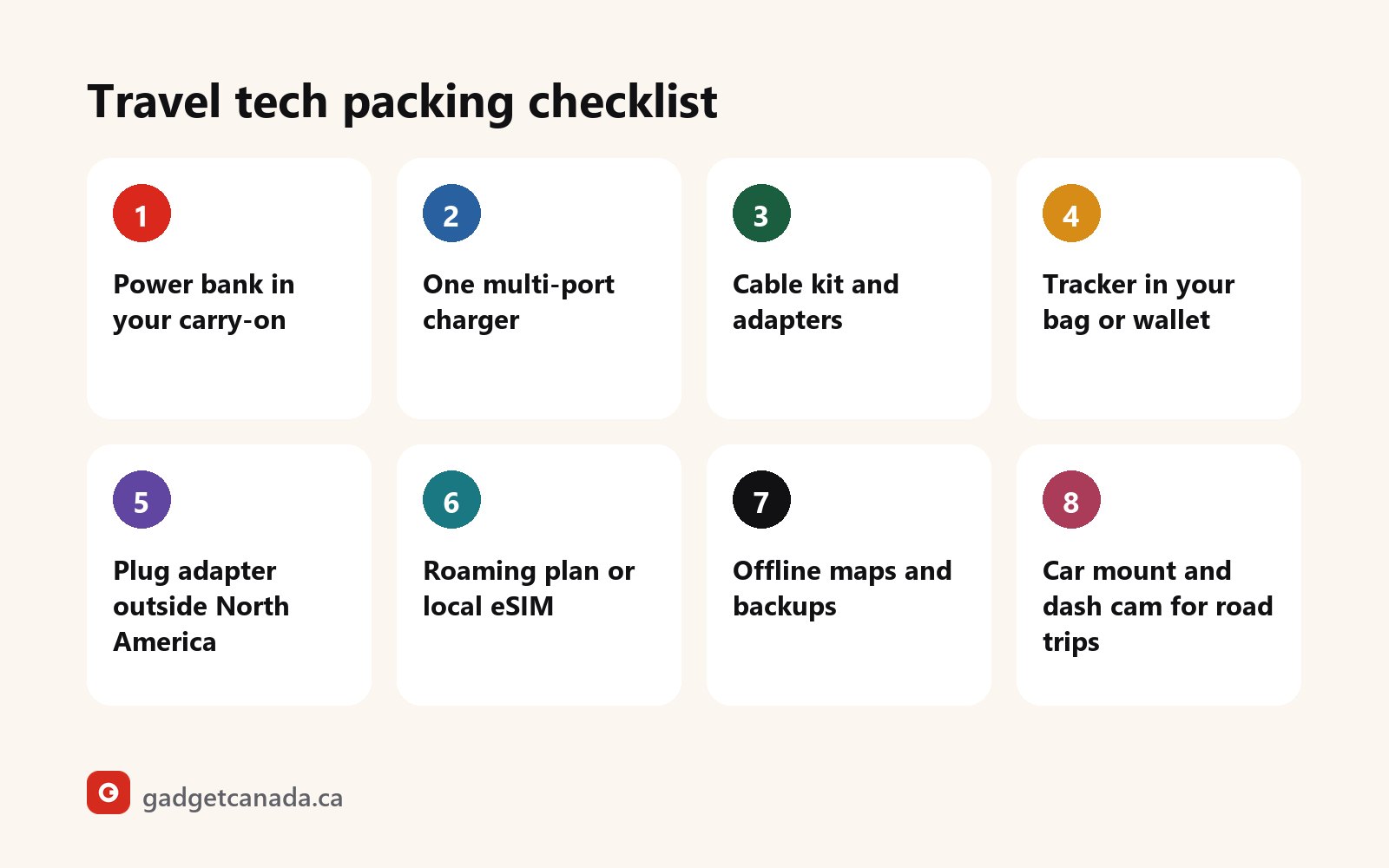
Everything else depends on the trip: a consultant flying Toronto to Vancouver for two days needs a different bag from a family driving to a cottage in the Laurentians or a couple spending three weeks in Portugal. The sections below go item by item, and the checklist by trip type pulls it together.
Power on the move: choosing and flying with a power bank
A phone works harder on a travel day than on any other: boarding pass, maps, bookings and photos, plus the extra energy it burns hunting for a signal in airports and rural areas. A power bank is the most useful piece of travel tech you can pack, as long as you’re allowed to take it on the plane.
How much capacity, and which type?
For most trips, about 10,000 mAh is the sweet spot. A pack that size typically stores 36 to 38 watt-hours (Wh), usually roughly one full phone charge, depending on your phone and whether you charge by cable or wirelessly. Bigger packs weigh more and creep toward airline limits, which are set in watt-hours, not mAh. Our power bank buying guide for Canada explains mAh, Wh and charge counts.
Magnetic packs snap onto a MagSafe-compatible phone or case, so you can keep using the phone while it charges. Wireless charging is convenient but generally less efficient than a cable, a thick case weakens the hold, and a phone without built-in magnets needs a magnetic case or ring plus wireless-charging support. A pack with a built-in connector skips the cable but must match your port: iPhone 15 and later use USB-C, earlier iPhones Lightning, most recent Android phones USB-C.
Our three travel power banks compared
| Feature | 10,000 mAh slim magnetic | Magnetic wireless with kickstand | Mini pocket power bank |
|---|---|---|---|
| Price (new) | $79.99 | $69.99 | $29.99 |
| Capacity | 10,000 mAh (typically 36–38 Wh) | Not stated on our sheet; printed on the unit | Not stated on our sheet; printed on the unit |
| Charges your phone by | Magnetic wireless (MagSafe-compatible); wired charging also listed | Magnetic wireless | Built-in Lightning or USB-C connector, depending on the version |
| Rated output | 20 W maximum | Up to 15 W wireless | Not stated |
| Extras | LED percentage display | Kickstand, digital display; tops up earbuds and a watch too, per the manufacturer | Fold-out stand, LED percentage display |
| Best trip | Flights, with a known capacity | Trains, tray tables, video calls | Day trips and light top-ups |
For flying, the 10,000 mAh ultra-slim magnetic power bank is the straightforward choice, because its capacity is on the listing. The other two don’t state one on our sheets; it’s printed on each unit, and we can confirm it, plus which connector version of the mini pack is in stock, if you ask before you order.
Flying with a power bank in Canada
- Carry-on only. Power banks and spare lithium batteries go in your carry-on, never in checked baggage. If your cabin bag gets gate-checked, take them out first.
- Under 100 Wh is generally allowed; 100 to 160 Wh needs your airline’s approval.
- The airline has the last word. Carriers can set stricter rules, for example on how many spare batteries you carry or whether you may use a power bank in flight, and a connecting airline may differ.
Before every trip, check your airline’s battery rules and CATSA’s “What can I bring?” guidance for Canadian airports. No seller can promise how screening will go, ours included, so arrive with a readable Wh label, an undamaged pack and ports protected in a pouch or case. If a power bank is swollen, unusually hot or recalled, don’t fly with it or keep using it; the Government of Canada’s recalls and safety alerts database lets you search by product.
What goes in your carry-on, and what can be checked
| Item | Carry-on | Checked bag | Why |
|---|---|---|---|
| Power banks | Yes (under 100 Wh generally; 100–160 Wh with approval) | Never | They count as spare lithium batteries |
| Spare camera batteries | Yes | Never | Same rule as power banks |
| Phone, laptop, tablet, cameras | Recommended | Only if your airline allows it | Batteries inside, fragile, full of your data |
| Tracker card | With the wallet or bag it tracks | Check your airline; our sheet doesn’t list the battery type | Its job is to stay with the item |
| Chargers, cables, plug adapters, car mount | Yes | Yes | No battery; keep one charger and cable in the cabin |
| SIM and microSD cards | Yes, in a case | Not recommended | Tiny, easy to lose, full of your data |
One more Canadian detail: cold temporarily reduces lithium-ion battery performance, so a pack left in the car overnight in January delivers less than you expect. Keep it in an inside pocket, let it warm up before recharging, and in summer keep it off a sun-baked dashboard.
Charge up before you go. Three power banks from $29.99, plus multi-port wall chargers and a travel cable kit, all new with a 1-year limited warranty.
One charger for everything: the hotel-room setup
Hotel rooms, cottages and rentals share one problem: a single free outlet, usually behind the bed. A multi-port wall charger turns it into a charging station for a phone, a tablet or laptop, earbuds and a power bank, and leaves one brick in your bag instead of four.
We carry two, both new with four ports and a two-prong North American plug. The 148W GaN³ wall charger with LED display ($89.99) is the traveller’s pick if a USB-C laptop is in your kit: three USB-C Power Delivery (PD) ports and one USB-A, folding pins that won’t scratch the laptop in the same bag, and a display showing charging power in real time. The manufacturer names USB-C port C1 as the optimized high-power port, so that’s the laptop’s. GaN (gallium nitride) lets a charger run more efficiently and be smaller for the same power. The 120W 4-port charger ($19.99, Black or White) has two USB-C PD and two USB-A Quick Charge 3.0 ports, a budget pick for phones, tablets and accessories; its sheet lists no folding pins or display.
The wattage is a total: when several devices charge at once, it’s shared between the ports in use, and neither sheet lists a per-port maximum. USB PD negotiates the voltage with each device, so one charger can serve a phone and a laptop; compare with the wattage on your laptop’s original adapter. Our USB-C charger guide for Canada goes deeper on watts, PD and GaN.
The cable kit: the part everyone forgets
Neither charger includes a cable. The 60W travel cable kit with SIM storage ($39.99, Black or White) puts a USB-C to USB-C cable, three adapters, a SIM ejector pin and card slots in one round, hard, tangle-free case.
- Swapping SIMs abroad: your Canadian SIM gets its own Nano or Micro SIM slot while you use a local one, with the ejector pin in the same case.
- Spare memory cards: TF (microSD) slots hold the backup card for a camera or dash cam.
- Older connectors: adapters for USB-A (older chargers and car sockets) and Micro-USB (older Android phones and small gadgets); our sheet doesn’t name the third.
- Limits: it’s rated for up to 60 W. A 3 A cable tops out around 60 W, and above that USB-C needs a 5 A “e-marked” cable, so a laptop that draws more needs a higher-rated one. No Lightning adapter is listed, so older Lightning iPhones need their own cable.
A simple room routine: laptop on the strongest port, phone on another USB-C port, power bank last so it fills overnight and goes straight into your day bag in the morning. Before checkout, check every outlet; a charger left in the wall is the easiest thing to lose on the road.
Never lose your bag or wallet: a tracker card for iPhone users
Most lost wallets aren’t stolen. They’re left on a café chair, under a taxi seat or in a hotel drawer, and travel multiplies those chances. The ultra-thin smart tracker card ($59.99, new) is a credit-card-format tracker compatible with Apple Find My. It slides into a wallet, a passport cover, a card holder or a suitcase pocket, and appears in the Find My app on your iPhone, iPad or Mac.
How location updates really work
Within Bluetooth range, you can make the card play a sound, the quickest way to find a wallet in a couch or a backpack. Out of range, it relies on Apple’s Find My network: other people’s Apple devices pick up its signal as they pass and report its location to you anonymously. You see it on a map, get directions and can turn on Lost Mode.
That also explains its limits. It isn’t continuous satellite tracking. The position refreshes when Apple devices pass nearby, so updates come often in a busy airport or downtown, and much less often on a quiet country road or a remote trail. Read the map as “last reported here”, not as a live feed.
Who it’s for, and who it isn’t
- Apple devices only. You need an iPhone, iPad or Mac to set it up and see it. It isn’t for Android phones, and we’d rather tell you now than after you’ve ordered.
- No subscription mentioned. Find My is built into Apple devices, and our sheet mentions no subscription.
- Battery. The manufacturer says it’s designed to run for many months without frequent recharging. Our sheet doesn’t give a figure or the charging method, and the box lists only the card and a manual, so ask us if that matters.
- Size. It’s described as close to credit-card thickness; exact dimensions aren’t on our sheet.
At the airport, a tracker can show whether your bag made the connection, but you still report a delayed or lost bag to the airline. Our sheet doesn’t state the card’s battery type, so check your airline’s rules on battery-powered items before putting it in a checked bag. And it’s meant for belongings: Find My warns people when an unknown tracker seems to travel with them, and a tracker should never be used to follow someone.
Put a tracker in your wallet before you fly. The ultra-thin tracker card is compatible with Apple Find My, new and sealed, with a 1-year limited warranty, for $59.99.
Outlets, voltage and plug adapters outside North America
Good news for cross-border trips and snowbird winters: Canada and the United States use the same plug types and 120 V outlets, so everything you charge at home works in a Florida condo or a Vermont ski lodge without an adapter. Leave North America, and two different things have to line up:
- The plug shape. A plug adapter lets a North American plug fit a foreign outlet. It doesn’t change the voltage.
- The voltage. Many countries supply a higher voltage than our 120 V. Many chargers accept a wide range, often printed as 100–240 V, but the only way to know is the “input” line on the charger’s own label. If the local voltage isn’t in that range, don’t plug that charger in there.
To be direct about our chargers: neither the 120W nor the 148W model lists an input voltage range on our sheet, and both have North American plugs. Before taking either one overseas, read the label on the unit, or email us and we’ll check. The same goes for anything you plug in: what matters is the label on the block that goes into the outlet.
- Bring one plug adapter per outlet you’ll use and plug your multi-port charger into it, so one adapter charges every device.
- Look up the plug type and voltage for every country on the itinerary, stopovers included, and pack the adapter with the charger.
- Before you book, check travel.gc.ca for entry requirements, travel documents and advice for each destination.
Staying connected: roaming, eSIM, offline maps and public Wi-Fi
Decide how you’ll get data before you leave, not at the carousel with a phone that won’t load the hotel’s address.
- Your carrier’s roaming option is the simplest: same number, nothing to install. Check its options and pricing for your destination, the U.S. included, and how it’s billed. If you won’t roam, turn off data roaming so apps don’t connect in the background.
- A local eSIM suits phones that support eSIM: you add a destination data plan, often before boarding, and many phones keep your Canadian line for calls and texts at the same time. The phone must be unlocked; under the CRTC’s Wireless Code, Canadian providers sell phones unlocked and unlock older ones free on request.
- A physical local SIM still works in many places, and that’s when the SIM slots in the cable kit earn their keep. Snowbirds spending weeks in the U.S. should compare longer-term options with daily roaming.
Download before you go
- Offline maps for each city and route, saved on home Wi-Fi. They help on Canadian road trips too, from northern highways to cottage country.
- Boarding passes and bookings in your phone’s wallet app or as screenshots, so they open without data.
- Backups: turn on photo backup over Wi-Fi, and copy camera footage to your phone or a spare microSD card each evening.
- Entertainment for the flight, and offline language packs if your translation app offers them.
Public Wi-Fi: hotel, airport and café networks
Anyone can name a network “Airport Free WiFi”, and on an open network, others may see traffic that isn’t encrypted. Confirm the exact network name with staff, keep banking and sensitive logins for mobile data or your phone’s hotspot, turn off auto-join for open networks, install updates and turn on multi-factor authentication before you leave, and charge from your own charger in a wall outlet rather than an unknown public USB port. Get Cyber Safe’s page on securing your connections is worth five minutes before any trip.
Road trips: car mount, dash cams and the rules of the road
For many Canadians, the trip that matters most is a drive: the long-weekend visit to family, the cross-border shopping run, the February ski trip, the summer drive to the lake. Using a hand-held phone while driving is illegal across Canada, and the rules on mounted devices vary by province (and by state if you cross the border), so check them first. Set your route and playlist before you pull out, keep any mount clear of your view of the road and of the airbags, and adjust only when parked.
A magnetic mount that folds away
The magnetic car phone mount with a foldable 360° arm ($29.99, new) sticks to the dashboard with a high-strength adhesive base. Its magnets hold MagSafe-compatible phones and cases, with a metal plate included for other phones; the zinc and aluminum alloy arm rotates 360° and folds flat when you park.
- Placement: never on or near an airbag cover (your owner’s manual shows where they deploy); test the spot before you peel the backing.
- Install it warm: adhesive bonds poorly in the cold, so in winter use a heated garage or a warmed-up cabin. A spare pad is included, and because the base is adhesive, it belongs in your own car rather than a rental.
- It holds, it doesn’t charge. Pair it with a magnetic power bank or a USB car charger. A metal plate can get in the way of wireless charging, so put it on a removable case.
Dash cams for long drives
A dash cam records the road so you have footage that can help show what happened, though we can’t promise how an insurer or police service will treat it. We carry two, both open box at $69.99, inspected and tested, with a 90-day limited warranty. The S60 dual dash cam records the front in 2.5K QHD (4.0 MP) and the rear in 1080P at the same time, through a 170° front lens rated for up to four lanes and an f/1.8 aperture designed for low light, handy on dark winter commutes. A G-sensor locks the current clip on impact, and loop recording replaces the oldest unprotected footage. It uses a windshield suction mount and a car charger adapter; parking mode needs a hardwiring kit, not included.
The TOGUARD CE50X fits over your existing rear-view mirror instead, with a 7-inch touchscreen, continuous 1080P recording and a waterproof backup camera (no rating listed) with guide lines that switches on in reverse. It keeps the windshield clear, but routing the rear cable takes time, so it suits the car you drive every day. Pick the S60 for highway detail, the CE50X for reversing help.
Neither kit lists a memory card: check the manual for the supported type and choose a high-endurance microSD card for continuous recording. In winter, clear both windows and wipe salt off the backup camera. The S60’s sheet lists no operating temperature range, so ask us if your car sits outside in deep cold. Compare both in Open Box Dash Cams.
For a winter road trip, check the forecast and warnings on weather.gc.ca and your province’s road conditions, start with a full phone and power bank, keep the pack in an inside pocket rather than the glovebox, and tell someone your route if you’re crossing a remote area.
Capture the trip: cameras and a mic kit for travel
A dedicated camera saves your phone’s battery and storage for maps and tickets, comes out faster for a ten-second clip, and lets kids shoot without your phone in their hands. The four below are open box: the box has been opened, so they aren’t sealed-new, but each is inspected and tested before it ships, with a 90-day limited warranty. Our open-box grading guide explains how we check items.
W&O Q7 pocket vlogging camera ($49.99)
A tall, slim handheld with the lens on top and a colour screen below, it slides into a coat pocket between shots. The lens head rotates 180°, so one twist switches between filming the view and your reaction, and quick-access buttons start recording without menus. W&O lists it as a CCD digital camera. Our sheet doesn’t list its video resolution, storage type, battery details or stabilization, so ask us if one of those decides it for you. A charging cable is included.
4K UHD vlogging camera with a 180° flip screen ($89.99)
The manufacturer rates it for 4K Ultra HD video and 75 MP photos. A 3-inch IPS screen flips 180° so you can frame yourself, with autofocus, a macro lens, a flash and a 16X digital zoom (it crops, so detail softens). Wi-Fi sends each day’s clips to your phone. A rechargeable battery is included; a memory card and charging cable aren’t listed.
H65/H63 dual wireless lavalier mic kit ($44.99)
Wind on a ferry deck or traffic in a market can bury your voice in a travel clip. This kit clips two wireless mics onto two people, with a 3-in-1 receiver for USB-C, Lightning or 3.5 mm devices, no app and foam windscreens. Neither camera’s sheet lists a mic input, so film on the camera, record voices on your phone through the kit and line up the tracks when you edit. Battery life and range aren’t listed, so charge it and test at your planned distance. It sits in Open Box Audio.
Kids instant print camera ($45.99)
For ages 3 and up, it prints black-and-white photos on thermal paper within seconds, with no ink. Kids preview on a colour screen, add a frame or filter, and build a travel journal to colour in at the cottage or in the back seat; it also records video and has music and mini games. Two paper rolls, a USB cable and a neck strap are included. Thermal prints can fade with heat and sunlight, so keep the scrapbook off the dashboard.
See every model in Open Box Cameras. Flying with one? Spare camera batteries follow the same carry-on-only rule as power banks.
Cottage and camping weekends: music and power planning
Cottage weekends bring their own tech problems: weak cell signal, one free outlet in the kitchen, guests with five different phones and a dock where everything is one wobble from the lake. Camping adds the obvious one: no outlets at all.
Music without a signal
The ZATEC LEO Bluetooth 5.3 speaker ($49.99) is new, with a 1-year limited warranty: a 66 mm driver with Super Bass, a rated Bluetooth range of up to 10 metres and hands-free calling. Its best cottage feature is that it doesn’t need a phone: it also plays from a USB stick, a micro SD card or an AUX cable. Leave a micro SD playlist in it and the music keeps going when nobody has the signal to stream.
Two honest caveats. No water-resistance rating is listed, so keep it off the dock, away from the pool and out of the rain. And ZATEC lists a 1500 mAh battery but no playtime, so runtime depends on volume. It charges over USB at 5 V / 1 A, so a spare port on your multi-port charger can refill it overnight; ask us which cables are in the box, as our sheet doesn’t say.
Plan power the way you plan food
- One outlet, one charger: charge everything the night before, then let a four-port charger serve the whole group from one socket.
- Count power banks for the campsite: a 10,000 mAh pack gives roughly one phone charge, so two heavy phone users need two packs.
- Save battery where the signal is weak: a phone hunting for a network drains faster, so use airplane or low-power mode and offline maps on the trails.
- Mind cold nights: keep the phone and power bank in an inside pocket or your sleeping bag, and tell someone where you’re going.
Travel tech packing checklist by trip type
Use this table to adapt the core kit to the trip.
| Item | Weekend flight | Long-haul abroad | Road trip | Cottage weekend |
|---|---|---|---|---|
| Power bank | One, in your carry-on | Carry-on only; check the Wh label and every airline on the itinerary | In the cabin, not the glovebox in winter | One per heavy phone user |
| Multi-port charger | Yes if you bring a laptop | Yes, with a plug adapter | Yes, for hotel stops | Yes: one outlet for the group |
| Cable kit | Yes | Yes, SIM slots for a local SIM | Yes, USB-A adapter for older car sockets | Yes |
| Tracker card (iPhone) | Wallet or carry-on | Wallet, passport cover or bag | Wallet or bag | Optional |
| Plug adapter | Not in Canada or the U.S. | Yes, plus a voltage check on every label | Not in Canada or the U.S. | No |
| Roaming or eSIM | For U.S. trips | Yes | For U.S. trips | No; offline maps instead |
| Offline maps and backups | Bookings offline | Yes | Yes, for dead zones | Yes |
| Car mount and dash cam | No | No | Yes | Yes, for the drive |
| Cameras and mic kit | Optional | Pocket or 4K camera, mic kit | Pocket camera, kids’ camera | Kids’ camera |
| Speaker | No | No | Optional | Yes, with a micro SD playlist |
The night before you leave
- Charge everything to full: power banks, cameras, the mic kit and the speaker.
- Read the Wh rating on every power bank you’re flying with, and recheck your airline’s rules and CATSA’s guidance.
- Pack a carry-on power pouch: power bank, spare camera batteries, cable kit, charger and plug adapter.
- Test the tracker in Find My, then put it in your wallet or bag.
- Sort your data: confirm your roaming option or install your eSIM.
- Download offline maps, boarding passes and bookings, back up your phone and slip a spare microSD into the cable kit.
- Read the Government of Canada’s travel advice and advisories for your destination, and consider the Registration of Canadians Abroad service.
- Driving? Check the weather and roads, make sure the dash cam card has room, and set up the mounted phone before you leave.
- Put it all in one spot next to your keys and passport.
Travel gadgets to consider, with Canadian prices
Every product in this guide, with its price in Canadian dollars, its condition and what it does best on a trip:
| Product | Price | Condition | Best for |
|---|---|---|---|
| 10,000 mAh ultra-slim magnetic power bank, 20W | $79.99 | New | Flights, with a known capacity |
| Magnetic wireless power bank, 15W, with kickstand | $69.99 | New | Shows on a tray table |
| Mini pocket power bank with built-in connector | $29.99 | New | Cable-free top-ups on day trips |
| 148W GaN³ 4-port wall charger with LED display | $89.99 | New | Laptop and phones from one outlet |
| 120W 4-port fast wall charger | $19.99 | New | Phones and accessories on a budget |
| 60W travel cable kit with adapters and SIM slots | $39.99 | New | Cable, adapters, SIM and microSD storage |
| Ultra-thin smart tracker card, compatible with Apple Find My | $59.99 | New | Wallets and bags (iPhone, iPad or Mac only) |
| Magnetic car phone mount with foldable 360° arm | $29.99 | New | Dashboard navigation (no charging) |
| S60 dual dash cam, 2.5K front and 1080P rear | $69.99 | Open box | Highway road trips |
| TOGUARD CE50X 7″ touchscreen mirror dash cam | $69.99 | Open box | Reversing help, clear windshield |
| W&O Q7 pocket vlogging camera | $49.99 | Open box | Quick clips, all-day carry |
| 4K UHD vlogging camera with 180° flip screen | $89.99 | Open box | Travel vlogs with zoom and macro |
| H65/H63 dual wireless lavalier microphone kit | $44.99 | Open box | Interviews and voice-overs |
| Kids instant print camera with thermal printing | $45.99 | Open box | Family trips |
| ZATEC LEO Bluetooth 5.3 speaker with Super Bass | $49.99 | New | Cottage music, even offline |
New items come with our 1-year limited warranty and 30-day returns if unused and in their original packaging; open-box items have a 90-day limited warranty and 30-day returns in the condition you received them. Orders are processed in 1 to 2 business days and delivered in 3 to 7, so order at least two weeks before you leave (see our shipping policy). Shipping is $14.99 anywhere in Canada, or free over $99, which some natural pairs clear: the tracker card and cable kit ($99.98), the 10,000 mAh power bank and car mount ($109.98), or the S60 and car mount ($99.98).
Questions? Email support@gadgetcanada.ca, Monday to Friday, 9:00 to 17:00 ET. Gadget Canada is an independent retailer, not affiliated with these brands; Apple, Find My and MagSafe are trademarks of Apple Inc., and our tracker, mount and magnetic power banks are third-party accessories, not made or endorsed by Apple. Browse all our phone accessories and gadgets in Canada, or see our guide to phone and tablet accessories for everyday gear.
The bottom line
The best travel tech essentials are the unglamorous ones that work every time: a power bank you can legally fly with, one charger for every device, a cable kit that holds your SIM, and a tracker in the wallet you’d least like to lose. Pair them with the rules: power banks in the carry-on, a plug adapter and a label check outside North America, a data plan sorted before you land, and the route set before you drive.
Build the core kit once and keep it packed, then add what each trip calls for: a dash cam for the highway, a pocket camera for the trail, a speaker for the cottage. For more ideas, see our roundup of the best gadgets in Canada, or browse our new and open-box electronics in Canada. Safe travels.
Record the road, capture the view. Open-box dash cams, pocket and 4K vlogging cameras and a wireless mic kit, each inspected, tested and covered by a 90-day limited warranty.
Frequently asked questions
Can I bring a power bank on a plane in Canada?
Yes, in your carry-on only. Power banks and spare lithium batteries are never allowed in checked baggage. Packs under 100 Wh are generally allowed, and packs from 100 to 160 Wh need your airline's approval. A 10,000 mAh pack is typically around 36 to 38 Wh. Rules vary by airline and no seller can guarantee how screening will go, so check your airline and CATSA's "What can I bring?" guidance before you fly.
How do I find the watt-hour rating of my power bank?
Look at the label on the power bank: the Wh rating is usually printed there. If only mAh is shown, multiply the mAh by the cell voltage on the label and divide by 1,000. Two of our power banks don't state their capacity on our product sheets; it's printed on each unit, and we can confirm it before you order.
Does the tracker card work with Android phones?
No. It's compatible with Apple Find My, so you need an iPhone, iPad or Mac to set it up and see its location. Android phones can't use it.
Will a tracker card show my suitcase's location in real time?
Not continuously. Nearby, you can make it play a sound. Out of Bluetooth range, its location is reported when Apple devices in the Find My network pass close to it, so updates are frequent in busy airports and cities and much rarer in quiet areas. Check your airline's rules before putting any battery-powered item in a checked bag.
Do I need a plug adapter or a voltage converter when I travel?
Not in the United States, which uses the same plugs and 120 V outlets as Canada. Elsewhere you need a plug adapter, and you must check the input line on your charger's label for the local voltage, because an adapter doesn't convert voltage. Our 120W and 148W chargers don't list an input voltage range on our sheets, so read the unit's label or ask us first.
Is roaming or a local eSIM better for a trip abroad?
Roaming with your carrier is the simplest: same number, nothing to install. A local eSIM can suit longer trips if your phone supports eSIM and is unlocked. Compare your carrier's roaming options with a local plan before you leave, and turn off data roaming if you won't use it.
Is it legal to use a phone mount in my car in Canada?
Hand-held phone use while driving is illegal across Canada, and the rules on mounted devices vary by province, so check yours. Mount the phone where it doesn't block your view or an airbag, and set your route before you start driving.
Which dash cam is better for road trips, the S60 or the TOGUARD CE50X?
The S60 suits highway driving, with 2.5K front recording, a 170° lens and a 1080P rear camera recording at the same time. The TOGUARD CE50X suits drivers who want a 7-inch mirror screen, a backup camera with guide lines and a clear windshield. Both are open box at $69.99 with a 90-day limited warranty, and neither includes a memory card.
Are the travel cameras and dash cams new?
No, they're open box: the box has been opened, and each item is inspected and tested before it ships, with a 90-day limited warranty and 30-day returns in the condition you received it. The power banks, chargers, cable kit, tracker card, car mount and ZATEC LEO speaker are new, with a 1-year limited warranty. Our returns and refunds policy explains the steps.
How early should I order before a trip?
Orders are processed in 1 to 2 business days and delivered in 3 to 7 business days across Canada, so order at least two weeks before you leave. Shipping is $14.99, or free on orders over $99.